


Spider Solitaire - Retro Card
5.0114.00 Reviews
App Specs
- Version
- 2.1.8
- Updated On
- License
- Free
- Downloads
- 1,000,000+
- Developer
- Worthy Journey
- Categories
- Card
- Platform
- Android
Screenshots

 Analysis by AppCompare
I like Spider Solitaire most when I want a small, self-contained puzzle rather than a game that asks me to learn a long list of rules or keep up with a story. Spider Solitaire - Retro Card brings that familiar card-table pastime to a phone, where a game can fit into a quiet break or a few minutes before bed. Its appeal is straightforward: arrange cards, think through the next move, and enjoy a familiar rhythm without needing another player.
That simplicity is also the best way to judge it. This is a card game for people who enjoy patience and planning, not a broad collection of modes or a social competition. I would recommend it to someone who already likes solitaire or wants a calm, repeatable puzzle. If you need frequent novelty, multiplayer interaction, or a game built around a campaign, this is probably not the right fit.
What the free price tells you—and what it doesn’t
The game is free to download, which makes trying it an easy decision for anyone curious about Spider Solitaire. I can speak to that access cost, but I wouldn’t treat “free” as proof of anything beyond the price stated: it does not, by itself, settle questions about optional purchases, advertising, or other payment details. Those distinctions matter when you are choosing a game for regular use, so check the current store page before installing if they affect your decision.
For the basic value judgment, the important point is that there is no purchase price to weigh against the time you spend with it. The game’s appeal depends instead on whether its familiar card puzzle suits your habits. If you enjoy replaying a hands-on logic challenge, free access gives you a low-commitment way to find out. If you only want a game with a large amount of new content, the price alone will not make this the better choice.
Getting to Know the Game
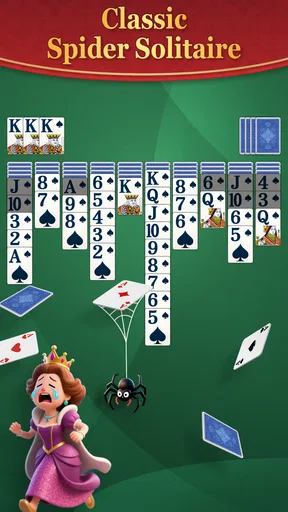
First things first, let me tell you what Spider Solitaire - Retro Card is all about. If you're familiar with the classic Spider Solitaire that came pre-installed on ancient PCs, you're already halfway there. The app brings that timeless fun onto your mobile device with a slick, retro design that’s easy on the eyes and heavy on the nostalgia.
Now, for those who might have missed out on this classic, Spider Solitaire is a single-player card game where the objective is to clear the board by stacking cards in descending order. It sounds simple, right? But wait until you try it out—it's a lot more challenging than it seems!
User Interface and Experience
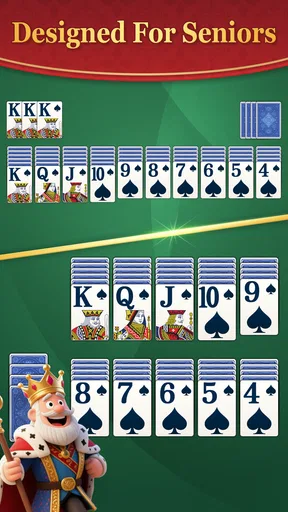
The moment you launch the app, you’re greeted with a neat, retro-styled interface. The developers have done a fantastic job of keeping the look and feel reminiscent of the original version. It's like opening a time capsule and finding your childhood inside. The cards are easy to read, and the controls are as straightforward as a Sunday morning.
Worth Reading Before You Choose

Baby Panda World Brings Quick Play to Modern Phones, but Its Game Library Feels Busy

ESPN’s Live Game View Makes Following Close Games Easier

QuizzLand Review: A Good Fit for Short Trivia Breaks, Not Every Player

Basketball Stars: Multiplayer Is Fast, but Can It Recover When Matches Go Wrong?

WEBTOON Turns Phone Updates Into a Better Reading Routine

Link to Windows Runs on Shared Habits, Not Social Feeds
One of the things I genuinely appreciated about Spider Solitaire - Retro Card is the smooth animation. Every move feels fluid, making the gameplay experience quite satisfying. The sound effects are subtle and enhance the retro vibe, without being too intrusive or annoying.
Gameplay and Features
Now, let's dive into the nitty-gritty. The game offers multiple difficulty levels, from easy to hard, so whether you're a newbie or a seasoned pro, there's something for you. I started off with the one-suit mode, which is great if you're just getting your feet wet. As you get the hang of it, you can progress to two or four suits for a real brain workout.
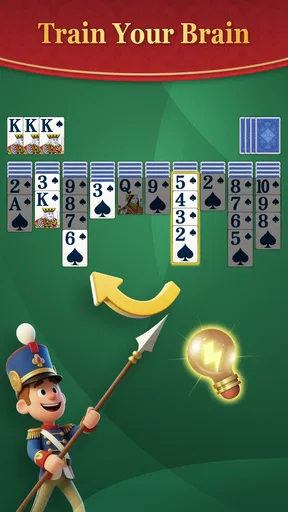
Another feature that’s worth mentioning is the hint system. It's a lifesaver when you're stuck, offering gentle nudges without giving everything away. The undo option is also pretty handy, especially when you realize that last move wasn't such a great idea after all.
When this style of solitaire earns its place
Spider Solitaire works particularly well in short, interruptible stretches. I might start a deal while waiting for a kettle to boil, then put the phone down when something else needs my attention. Because the puzzle is built around arranging cards rather than following a timed story, it is easy to return to the same kind of thinking later. That makes it a better fit for spare moments than a game that punishes interruptions or demands a continuous session.
There is a useful difference between passing time and playing thoughtfully. If I want the game to feel more like a puzzle, I avoid tapping through moves automatically and pause before dealing another row. I first look for descending sequences that can be extended, then consider whether moving a card will uncover something useful or merely block a column. This small habit makes the game feel less like busywork and more like a sequence of decisions.
The suit choices also make the difficulty adjustable in a practical way. One suit is a sensible place to learn the flow and practice spotting runs; adding suits increases the planning burden because a descending sequence is not always enough to make cards movable together. I would not rush to the hardest setting just to prove familiarity with the rules. A comfortable level is more rewarding when I want to unwind, while a tougher one is better when I have time to think through several consequences.
How it compares with other card-game choices
Compared with a standard Klondike solitaire app, Spider Solitaire asks me to manage longer sequences and think more about how columns interact. Klondike can feel quicker to scan because its familiar goal is to build foundations by suit; Spider makes the changing tableau itself the central puzzle. If you want a very quick, lighter card diversion, another solitaire variant may be a better match. If you like reorganizing a crowded layout and weighing moves, Spider has more of that particular kind of planning.
It also differs from collectible-card games and multiplayer card apps. Those usually depend on opponents, deck-building, changing challenges, or social play; this is a solitary experience whose enjoyment comes from the deal in front of you. I would choose it when I want quiet concentration without coordinating with anyone. I would choose a competitive or collection-based alternative when the point is discovery, variety between matches, or interaction with other players.
One practical trade-off is that the classic format can become familiar quickly. The same basic objective is part of its comfort, but it also means the game may not provide the sense of progression that keeps people invested in a campaign. The different suit settings help change the mental challenge, yet they do not turn the core activity into a different genre. That is not a flaw for a solitaire fan; it is a reason to be honest about what kind of variety you want.
Small decisions that make a deal go better
When I am stuck, I treat a hint as a prompt to inspect the board rather than a command to tap immediately. I look at what the suggested move would uncover and whether it helps create a longer same-suit run. A move can be legal without being useful, and preserving a flexible column may matter more than making the first available play. The undo option is handy for testing that idea: I can see the consequence, reverse a poor choice, and learn from the result instead of abandoning the deal.
I also try not to deal new cards simply because the current layout looks awkward. Before doing so, I check whether there are still useful moves among the exposed cards and whether a column can be cleared or made more flexible. Dealing can add fresh possibilities, but it can also complicate the tableau. Thinking about that trade-off is one of the more satisfying parts of Spider Solitaire, especially once the easy setting stops feeling like a simple sequence of obvious moves.
For a casual player, hints and undo can keep a frustrating moment from ending a session. For someone who wants to sharpen their own planning, leaning on them less can make each completed deal feel more earned. I like having both options because they serve different moods: one evening I may want a gentle nudge, while another time I may prefer to work through the position unaided.
Who is likely to get value from it?
The strongest fit is someone who enjoys familiar rules, solo play, and a puzzle that can be paused between moves. It may suit people returning to Spider Solitaire after playing it on a computer, but prior experience is not essential if they are willing to learn by trying the easier suit setting. The readable cards and straightforward controls described in the game’s presentation make the basic activity approachable; the challenge comes from planning, not from mastering complicated controls.
It is less suited to someone who wants a constant stream of new objectives, a narrative, or a shared match. It is also not my first recommendation for a player who finds repeated layouts monotonous or prefers games with a clear sense of long-term advancement. In those cases, a different card genre can offer more variation, while a multiplayer option can provide the human unpredictability this solo puzzle does not aim to deliver.
For example, on a quiet commute where I have a few minutes but may need to look up at the next stop, I would choose a single deal rather than a game that requires a long uninterrupted round. At home, if I have more time and want to concentrate, I can move to a harder suit setting and make each choice more carefully. The same app can serve both situations, but the experience depends on choosing a difficulty that matches the time and attention I actually have.
The game is aimed at Everyone, and it is free. It is made by Worthy Journey, has an average rating of 4.9 from around 1,000 ratings, and has passed 100,000 installs. It was released on December 11, 2025; version 1.7.5 lists Android 7.0 as its minimum operating-system requirement. Those details make it easy to identify the current edition, but the more important question for me remains whether the simple, single-player format is what you want to spend time with.
Why You’ll Love It
If you're anything like me, you’ll appreciate how Spider Solitaire - Retro Card doesn’t bug you with ads every few seconds. This is such a relief in a world where most free apps bombard you with distractions. The app respects your space and lets you enjoy the game in peace.
There’s also a stats feature where you can track your progress. It’s a neat addition for those who like to see how their skills have improved over time. Winning streaks, best scores, and game history are all at your fingertips.
The stats are most useful when I treat them as a personal record rather than a verdict on whether I am good at the game. A streak can be satisfying, but one difficult deal or a change in how carefully I play can affect the pattern. If I want a fair sense of improvement, I pay attention to whether I am making more deliberate choices and needing fewer hints, not just whether I have won recently.
That also gives the tracking feature a practical role: it can help me notice which difficulty feels engaging rather than merely frustrating. If I keep reaching for undo on a tougher setting, that may be a sign to slow down or return to a simpler one, not a reason to force a long session. Conversely, a run of comfortable wins might be a good moment to try another suit level. The feature supports that kind of self-guided adjustment without changing the game into a competition.
Final Thoughts
So, is Spider Solitaire - Retro Card worth your time? Absolutely! It's a delightful blend of nostalgia and modern convenience, wrapped up in a well-designed package. Whether you're looking to kill a few minutes or dive deep into a card game marathon, this app has got you covered. It’s free, it’s fun, and it’s waiting for you to shuffle the deck.
With its user-friendly interface, smooth gameplay, and respectful ad policy, Spider Solitaire - Retro Card is a solid choice for anyone looking to relive the classic card game experience. So, go ahead and give it a whirl—you might just find yourself happily lost in the world of cards.
My recommendation is to try it if the appeal of a familiar, thoughtful solo card puzzle is enough on its own. Free access keeps the initial commitment low, while the classic format supplies the value only if you enjoy repeating and refining the same kind of challenge. If you prefer social play, fresh objectives, or a broader range of card mechanics, I would skip this one in favor of a game built around those needs. For a quiet break and a bit of careful card arranging, though, it has a clear reason to be on your phone.
Pros
- Classic gameplay
- easy to learn.
- Minimalist design
- no distractions.
- Offline mode available for travel.
- Multiple difficulty levels for all.
- Quick loading
- no long waits.
Cons
- Lacks multiplayer mode.
- Limited customization options.
- Ads can be intrusive at times.
- No daily challenges for users.
- Soundtrack can become repetitive.
FAQs for Spider Solitaire - Retro Card
What features does Spider Solitaire - Retro Card offer?
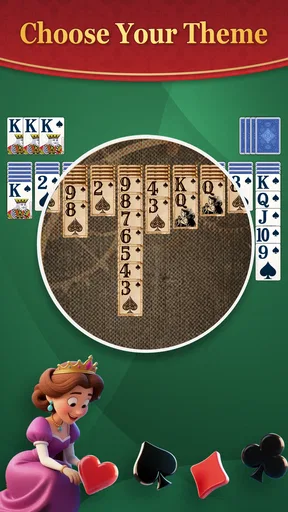
Spider Solitaire - Retro Card offers a classic card game experience with a retro twist. Users can enjoy multiple difficulty levels, customizable card backs, and backgrounds. The app also includes an interactive tutorial, statistics tracking for performance monitoring, and an undo feature to correct mistakes. It's designed with a simple interface for easy navigation.
Is Spider Solitaire - Retro Card free to play?
Yes, Spider Solitaire - Retro Card is free to download and play. However, it may include in-app purchases or ads that provide additional features or enhancements. These purchases are entirely optional and are meant to enhance the gameplay experience for those interested in more customization or an ad-free experience.
Does the app require an internet connection?
Spider Solitaire - Retro Card can be played offline, making it perfect for users who want to enjoy the game without an internet connection. However, an internet connection may be required for certain features, such as accessing updates or purchasing in-app content. It's ideal for both online and offline play.
Is Spider Solitaire - Retro Card suitable for all ages?
Spider Solitaire - Retro Card is designed for players of all ages. Its simple rules and engaging gameplay make it accessible to both young players and adults. The app does not contain any inappropriate content, making it a safe and fun choice for families looking for an enjoyable card game experience.
What are the system requirements for Spider Solitaire - Retro Card?
Spider Solitaire - Retro Card is compatible with most Android and iOS devices. It requires a minimum of Android 4.1 or iOS 9.0 to run smoothly. The app is optimized to work on a variety of screen sizes, ensuring a seamless experience whether you're playing on a smartphone or tablet.


